
Integrations
Geeps App
Connect Geeps App to LLMBase with an OpenAI-compatible custom provider.
Updated
Geeps App is a native BYOK chat client for iPhone, iPad, and Mac. Because Geeps supports custom OpenAI-compatible providers, you can use it with the LLMBase Inference API by adding your LLMBase API key, host, and model ID.
This guide configures Geeps for direct LLMBase inference. Use an inference key
with the llmbase_... prefix, not a llmbase_chat_... agent key.
Prerequisites
- Geeps App installed on macOS or iOS
- An LLMBase inference API key
- A model ID from the LLMBase model catalog
Configuration values
| Geeps field | Value |
|---|---|
| Provider name | LLMBase |
| API key | Your llmbase_... inference key |
| Base URL | api.llmbase.ai |
| Full custom endpoint | Leave empty |
| Default model | Any model ID returned by the LLMBase model catalog |
Geeps builds the chat-completions endpoint from the base URL, so entering
api.llmbase.ai produces:
https://api.llmbase.ai/v1/chat/completionsAdd LLMBase as a provider
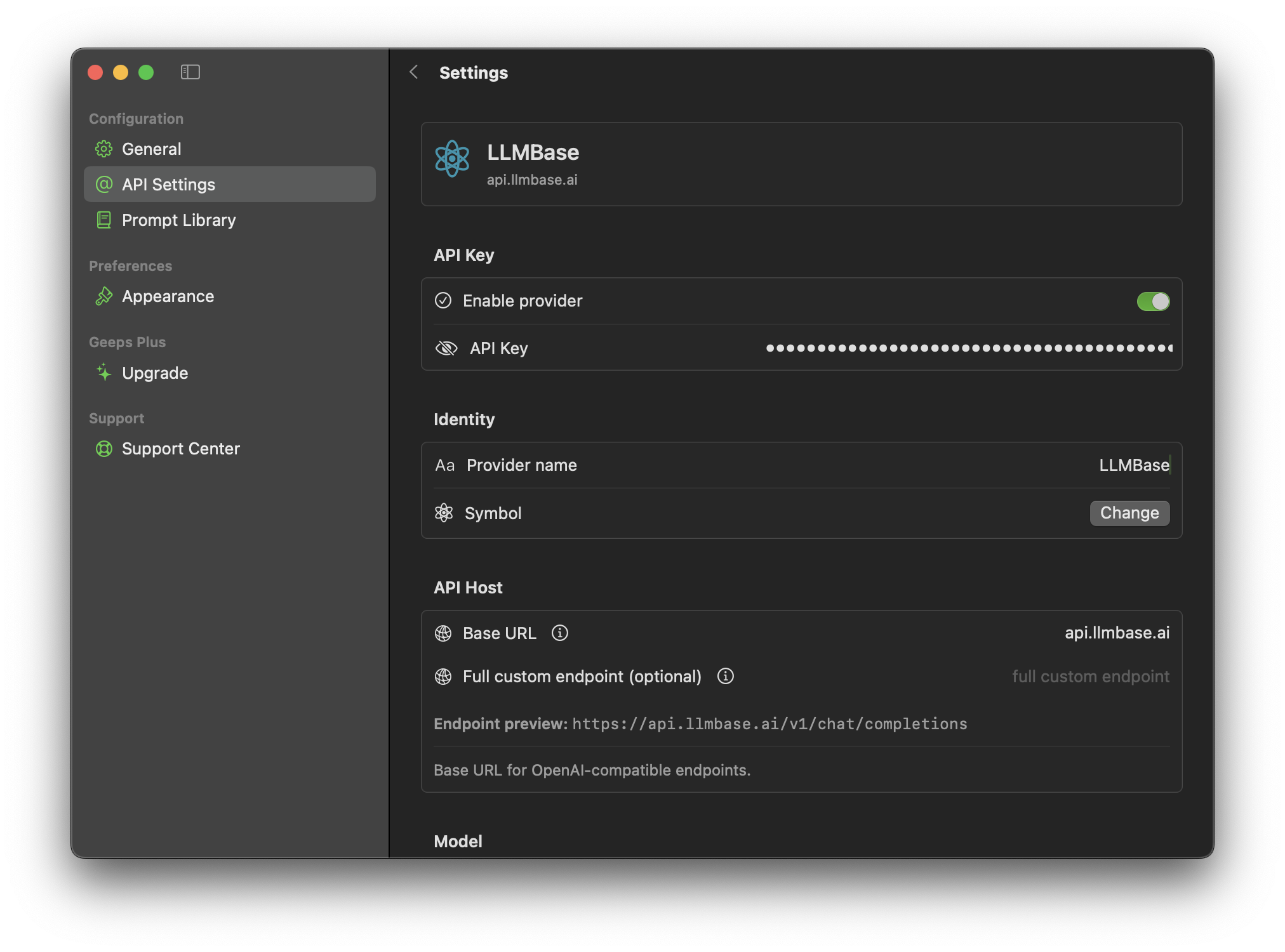
- Open Geeps and go to Settings.
- Select API Settings.
- Add or open a custom OpenAI-compatible provider.
- Enable the provider.
- Enter your LLMBase inference API key.
- Set the provider name to
LLMBase. - Set Base URL to
api.llmbase.ai. - Leave Full custom endpoint empty unless you intentionally need to override the generated endpoint.
Load and choose a model
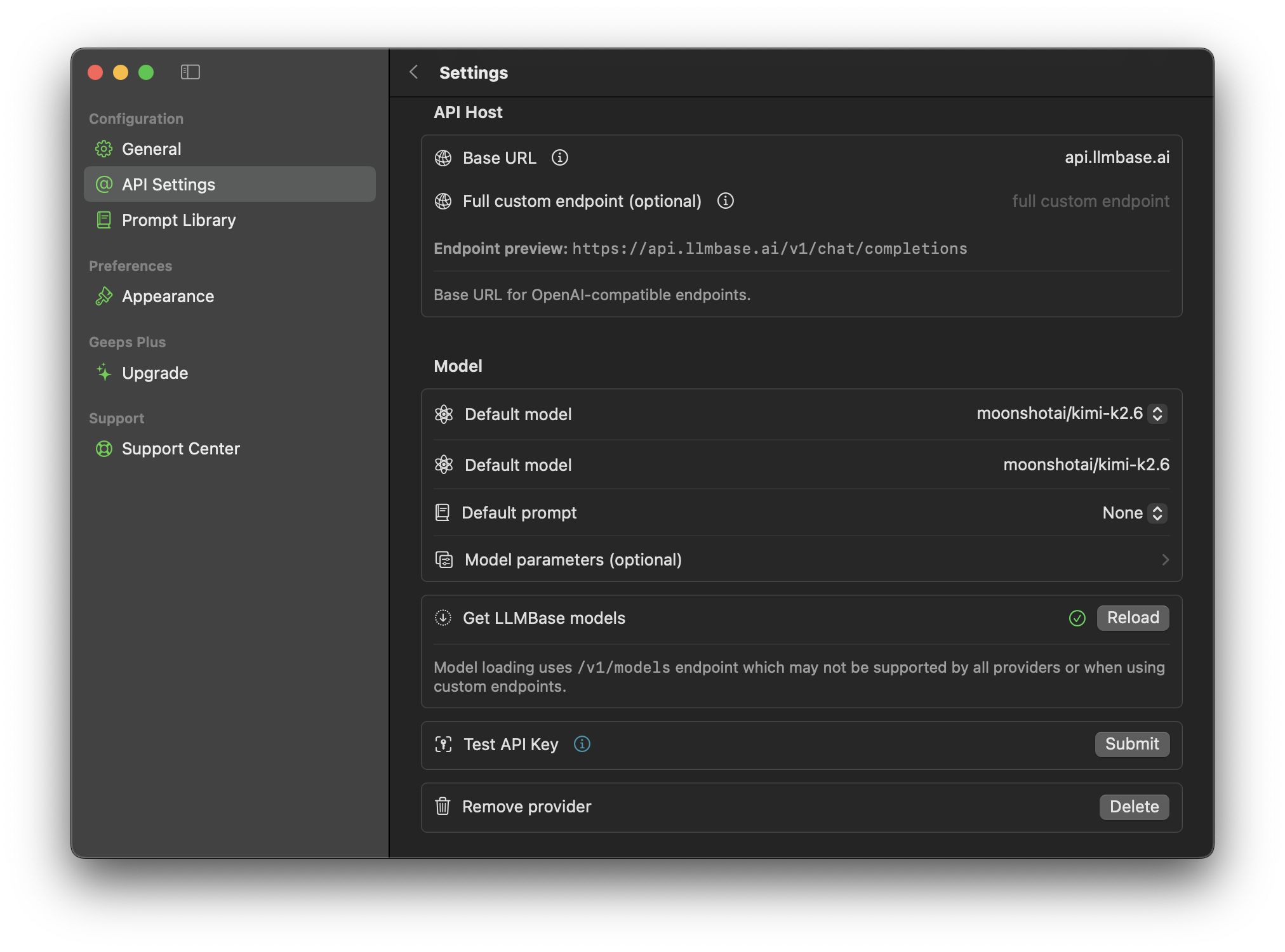
Scroll to the Model section after the host is configured.
- Click Reload next to Get LLMBase models.
- Choose a default model from the model picker.
- If you prefer to enter it manually, paste a model ID exactly as shown in the model catalog.
- Click Submit under Test API Key to verify that Geeps can reach LLMBase.
Start chatting
Return to the chat view and select the LLMBase provider or default model. Geeps will send OpenAI-compatible chat requests to:
POST https://api.llmbase.ai/v1/chat/completionsRequests spend your LLMBase prepaid inference balance. If a model does not support a feature that Geeps enables, such as vision or tools, choose a model with matching capabilities in the model catalog.
Troubleshooting
| Problem | Fix |
|---|---|
| Authentication fails | Confirm the key starts with llmbase_ and has not been copied with spaces. |
| Endpoint preview looks wrong | Use api.llmbase.ai as the base URL and leave the full custom endpoint empty. |
| Model reload fails | Enter a model ID manually from the catalog, then test the API key. |
| A request is rejected | Check that the selected model supports the requested feature, such as vision, tools, or structured output. |
For the underlying API behavior, see OpenAI compatibility and Chat completions.